AI Tools
ChatGPT can now see your bank accounts, credit cards, investments and loans, if you let it. The feature is called Finances, and it connects your accounts through Plaid, the same connection service thousands of finance apps already use. It's free in the US, it can't move a dollar, and setup takes about ten minutes.
Does Plaid connect everything?
Almost. Plaid connects your checking, savings, credit cards, investments and loans. Two things connect separately: your credit report comes through Experian, and your business books come through the QuickBooks plugin. Anything else, you tell ChatGPT and it remembers.
Following along? Use ChatGPT on any of these.
Finances is in the left sidebar. You need a ChatGPT account and a US bank.Jump to a step
What it can do
- Show where your money went, by category
- Find subscriptions, recurring bills and duplicate charges
- Track net worth, investments and your credit score
- Plan budgets, savings goals and debt payoff
- Organize a list for your tax preparer
What it can't do
- Move money or pay bills
- Make trades or change retirement contributions
- Open or close accounts
- File your taxes
- Act as your financial adviser
1. Before you connect
Two minutes in Settings first. These are the controls OpenAI documents for Finances:
- Turn on multi-factor authentication for your ChatGPT account. If someone gets into your ChatGPT, they'd see your finances too.
- Check your training setting under Settings, then Data controls. Finances follows the same setting as the rest of your account.
- Know the temporary chat rule. In a temporary chat, ChatGPT can't see your connected accounts. Use one when you want a money question kept out of it.
- Sign in to your bank directly once. Clear any security prompts there first. It's the most common reason a connection fails.
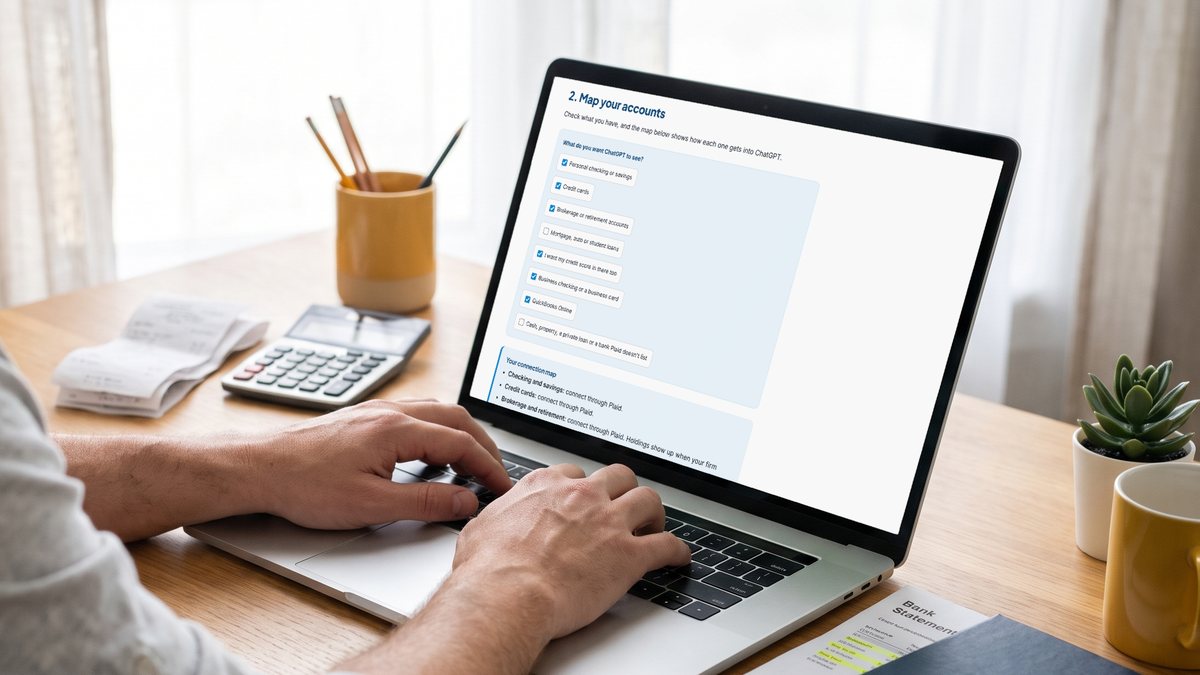
2. Map your accounts
Check what you have, and the map below shows how each one gets into ChatGPT.
What do you want ChatGPT to see?
Your connection map
Each account you check above shows up here with how it connects.
- Checking and savings: connect through Plaid.
- Credit cards: connect through Plaid.
- Brokerage and retirement: connect through Plaid. Holdings show up when your firm shares them.
- Loans: connect through Plaid if your lender shares loan details. If it doesn't, tell ChatGPT the balance and rate in step 4.
- Credit score: a separate connection through Experian. You don't need a bank connection for it.
- Business accounts: keep them out of Finances. It's built for personal money.
- QuickBooks Online: connect the QuickBooks plugin in ChatGPT (step 6). It has its own login.
- Everything else: tell ChatGPT in a chat and ask it to remember (step 4).
3. Connect through Plaid
Here's the whole flow, the same on the web, iPhone and Android:
- Open ChatGPT, select Finances in the sidebar, then Get started. Or type the line below into any chat.
- Select Connect with Plaid.
- Search for your bank. If it isn't there, try another name it goes by.
- Sign in. Many larger banks send you to their own website or app to sign in and pick which accounts to share. Smaller ones have you sign in inside the Plaid window.
- Choose the accounts to share, then repeat for your other banks, card issuers and brokerages.
- Back in ChatGPT, give it a few minutes to sync and sort your transactions. Once in a while it takes a few hours.
@Finances, connect my accounts
If a login fails, sign in at your bank first, then try again without autofill or a password manager. Plaid can treat usernames as case sensitive even when your bank doesn't. "Action required" means your bank wants something from you first, like a code or new terms.
4. Tell it what Plaid can't see
Plaid only knows what your bank shares. ChatGPT can also save context you give it as financial memories, and use them in every money question after that. You can view or delete them any time from the Finances page.
Fill in what applies. The prompt builds as you type.
@Finances, remember these things about my finances and use them in future money questions:

- I'm saving for [YOUR GOAL AND DATE].
- I want to keep at least [AMOUNT] in checking.
- Not connected: [DEBT OR ACCOUNT]
- I pay myself from my business by [HOW]. Count those deposits as my income.
- Shared: [WHAT IS SPLIT]

Repeat back what you saved so I can check it.
The pay-yourself line matters for business owners. Without it, an owner draw can look like a random transfer, and your income will look lower than it is.
5. Ask questions about your real numbers
Start any question with @Finances so ChatGPT pulls in your connected accounts. Ask it to show which transactions it used, so you can check its work. Your goal and checking cushion from step 4 are already in the second prompt.
Set the timeframe.
@Finances Where did my money go over the last 3 months?

1. Group my spending by category and show what changed compared with the months before.
2. List every subscription and recurring bill with the amount and next charge date. Flag duplicates and price increases.
3. Don't count transfers between my own accounts, credit card payments or refunds as spending.
4. Show me which transactions you used for each number, and tell me if any account looks incomplete.
@Finances I'm saving for [YOUR GOAL AND DATE]. First ask me what I'm saving for and by when. I want to keep at least [AMOUNT] in checking.

Based on my income, bills and spending, how much do I need to set aside each month to get there? Which three categories give me the most room, and what's the tradeoff with each? If the goal isn't realistic by that date, say so and give me the closest date that is.
@Finances I'm self-employed. From my connected accounts, list the transactions from last year that look like business expenses I paid personally.

Group them by category with totals. Mark anything you can't tell from the merchant name as ASK, with one short question for me. Don't decide how anything is taxed. I want a clean list to hand to my accountant.
Spending totals go wrong when transfers, card payments or refunds count as spending. That's why the first prompt rules them out. If a category still looks off, ask ChatGPT to reclassify it and remember the correction.
6. Connect your business books separately
Finances is for your personal money. For the business, QuickBooks Online has its own plugin in ChatGPT, and it keeps the two sets of numbers apart.
- In ChatGPT, select Plugins in the sidebar.
- Search for Intuit QuickBooks and select Connect Intuit QuickBooks.
- Sign in to QuickBooks Online. You come back to ChatGPT on your own.
- Select Start chat and ask something simple, like "Show me my open invoices," to make sure it's connected.
Pick a period.
Using QuickBooks, show me:

1. My profit and loss for this quarter, compared with the same period last year
2. The three expense categories that grew the most, with the amounts
3. Every open invoice more than 30 days past due, with the customer and amount

Read only. Don't create, send or change anything in QuickBooks.
The QuickBooks plugin can create invoices too, so the last line of that prompt keeps it read only. It needs an active QuickBooks Online subscription in the US.
7. Stay in control
- Remove one account from the Accounts tab on the Finances page.
- Disconnect everything under Settings, then Apps, then Finances. OpenAI deletes the synced data within 30 days, and Plaid deletes the data tied to that connection within 30 days.
- Delete old chats separately. Disconnecting doesn't remove what's already in your conversation history.
- Check your other Plaid connections at my.plaid.com. Disconnecting ChatGPT doesn't touch the other apps you've linked through Plaid.
It's a second set of eyes
OpenAI says it plainly: ChatGPT isn't a financial adviser, tax preparer or fiduciary, and AI can make mistakes. Use it to spot things and get organized, then take the big decisions to your accountant or adviser.
Questions people ask
Is ChatGPT Finances free?
Yes, in the US. OpenAI launched it for Pro in May 2026, added Plus in June, and started rolling it out to Free and Go users on October 2, 2026. It works on the web, iPhone and Android.
Can ChatGPT move my money?
No. OpenAI's help page says it can't move money, pay bills, change account settings, make trades, change retirement contributions, open or close accounts, or file taxes. It reads your data and answers questions.
Does ChatGPT see my bank password?
You sign in through Plaid's window, and many larger banks send you to their own site or app to sign in. OpenAI says ChatGPT can't see your full account numbers.
Can I connect my business bank accounts?
OpenAI built Finances for personal money, and its help page never mentions business accounts. Keep the business in QuickBooks and connect the QuickBooks plugin in ChatGPT instead, so your personal and business numbers stay apart.
Is my financial data used to train ChatGPT?
Finances follows the same model training setting as the rest of your ChatGPT account. Check it under Settings, then Data controls, before you connect anything.
Does checking my credit score in ChatGPT hurt it?
No. The Experian connection is a soft inquiry and doesn't affect your score. ChatGPT shows your VantageScore 3.0, which can differ from the score a lender uses.
Is ChatGPT Finances available outside the US?
Not yet. OpenAI lists it for US users only.
Set it up with us on Friday
We're walking through all seven steps live in our free workshop on Friday, November 13 at 2 PM Eastern. Bring your phone or laptop with ChatGPT signed in.
Follow for more.