Custom AI software
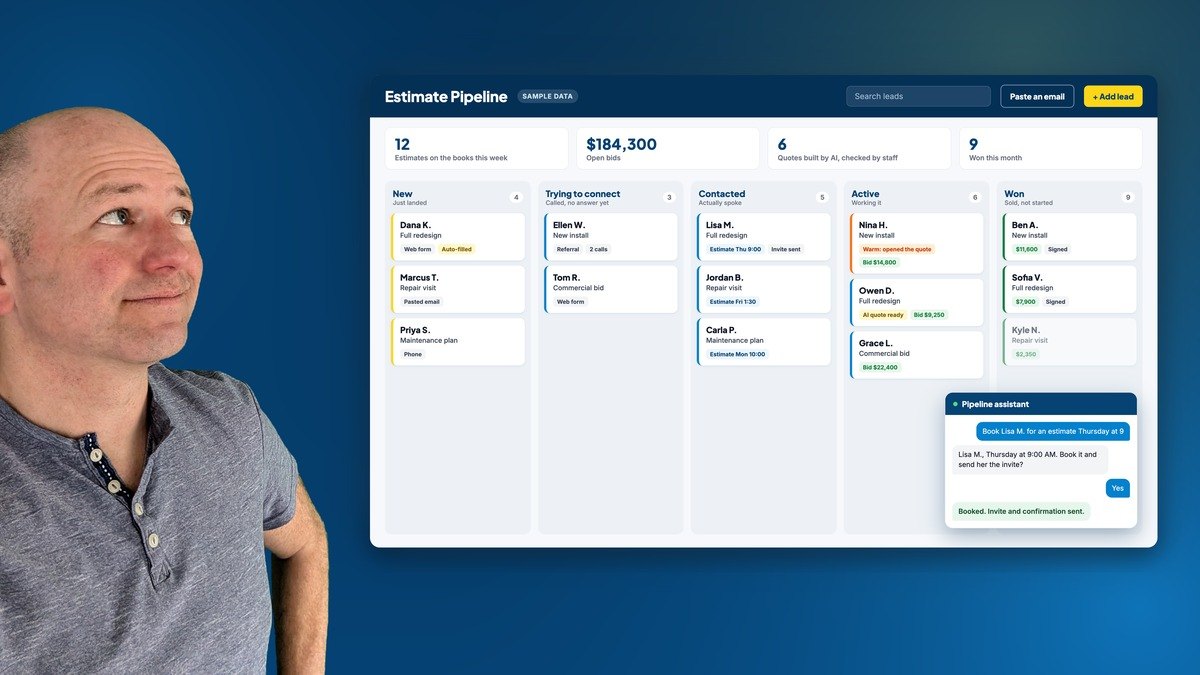
Over the last few months we built an estimating pipeline for an established local service company, and it's been one of the most fun builds we've done. Every lead, estimate and quote now lives in one place, AI does the reading, sorting and drafting, and the people who know the business make the calls.
We're keeping the client's name private. Everything you see on this page is sample data on a demo board we built to show how it works.
Jump to a section
Where it started
Leads came in from the website, the phone and forwarded emails. Estimates were booked on a calendar only the office could see. Quotes lived in spreadsheet files in a shared folder. All of it worked, as long as the right person was at their desk.
The question that kept coming up was simple: what's on the books this week? Answering it meant three tabs and a phone call. Phone leads didn't always get entered, because typing six fields off a phone screen is too much friction. And once a quote went out, nothing reminded anyone to follow up.
What we built
1. One board for every lead
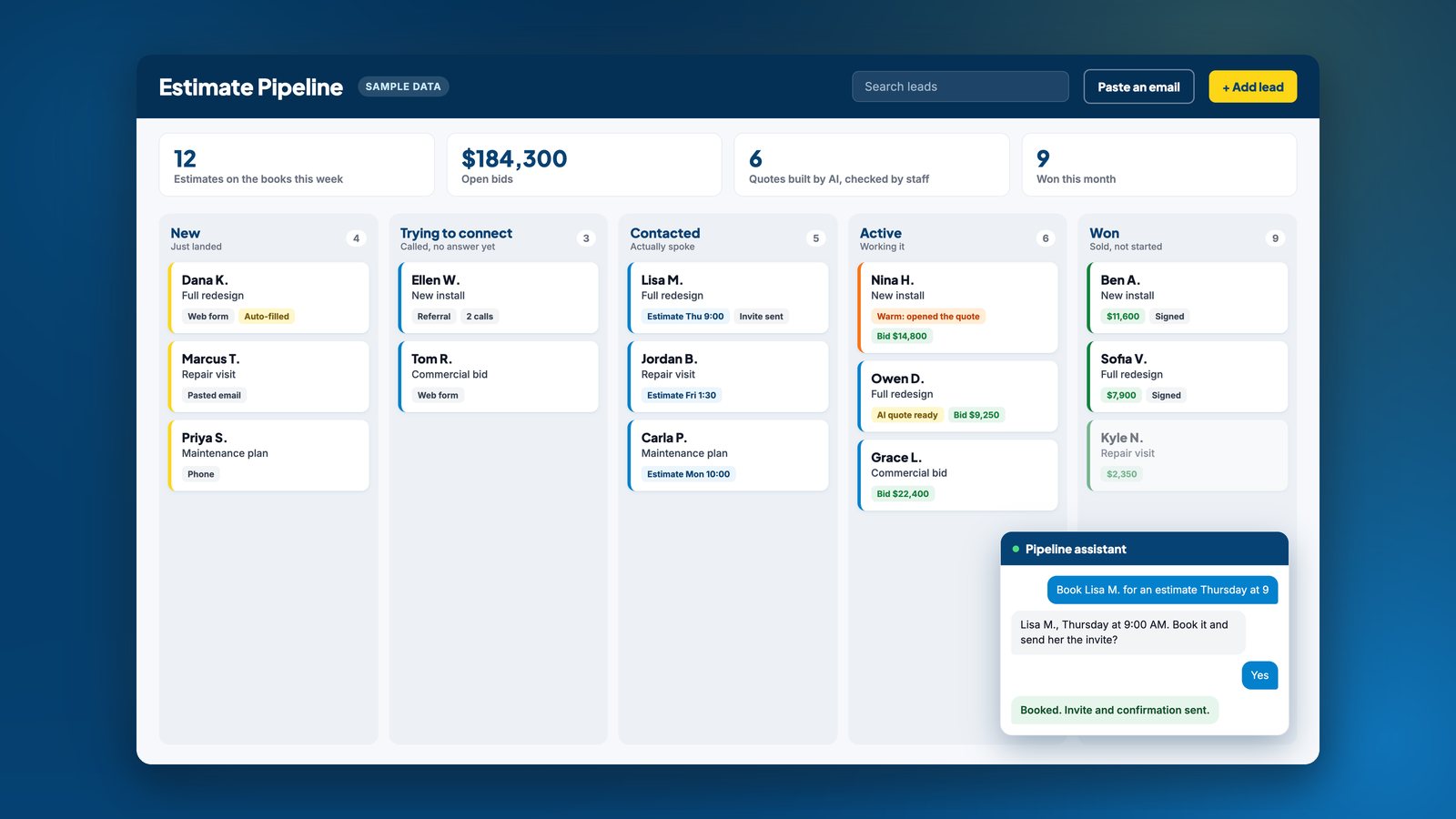
Every lead lands on one board, whether it came from the website, a call or an email. Drag a card to move it. The lanes match how the office actually talks about leads: just landed, trying to connect, actually spoke, working it, won. Anyone can open it and answer "what's on the books?" in a few seconds.
2. Paste an email, get a lead
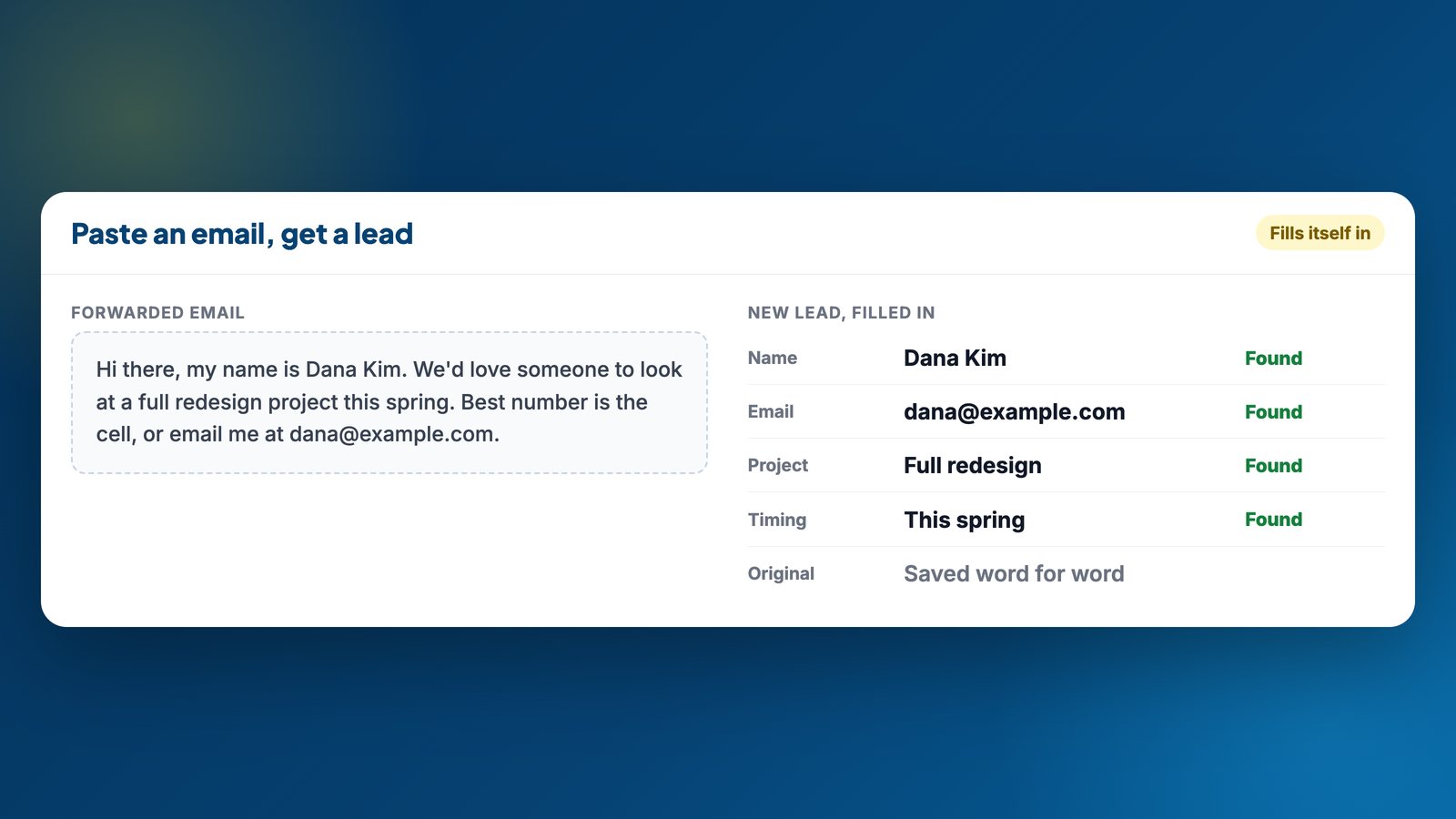
We asked the office how they wanted to enter phone and email leads, and they picked copy and paste. Paste a forwarded email, a typed note or a notification, and the name, email, phone and project fill themselves in. The original message is saved on the lead exactly as it came in, so there's always a version nobody has summarized.
3. Estimates on one calendar
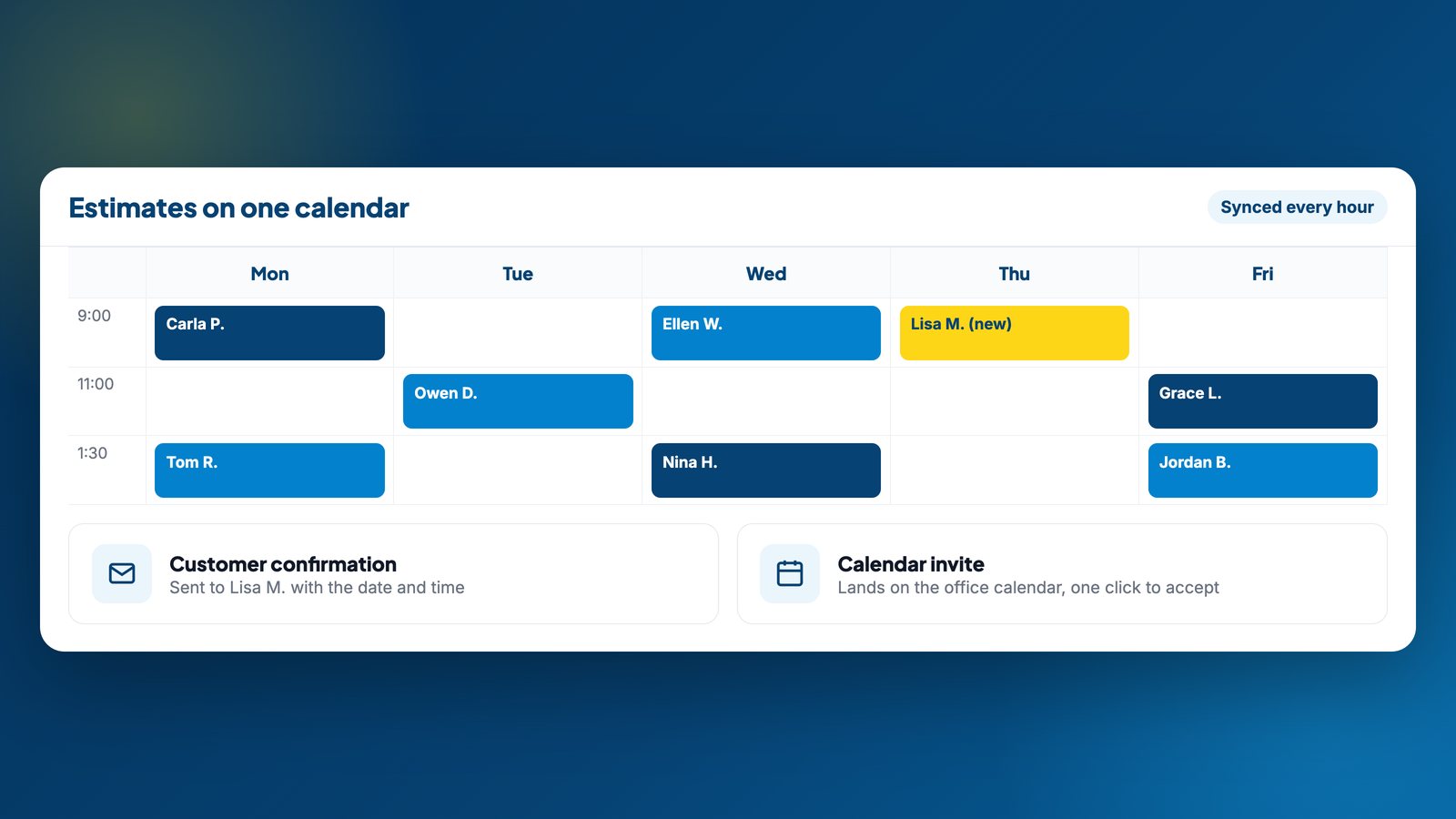
Booking an estimate from a lead sends the customer a confirmation with the date and time, and sends the office a calendar invite they accept with one click. Appointments the team still types straight into their own calendar come in on their own every hour, so the board and the calendar never disagree.
4. An assistant that works the board
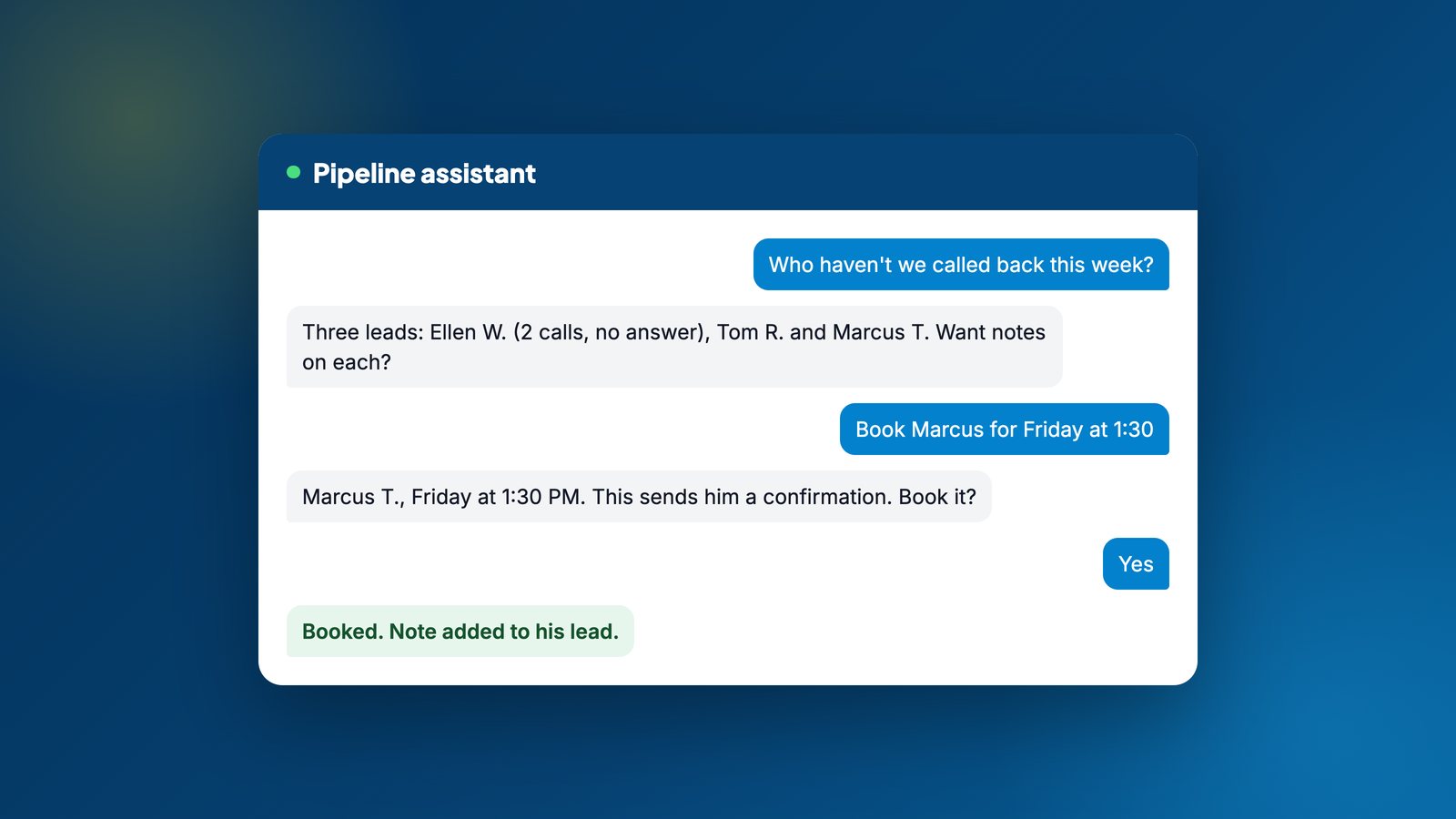
The office can ask the assistant things like "who haven't we called back this week?" and get an answer from the real leads. It adds notes, starts follow-ups, and can read a spreadsheet or PDF and turn the rows into leads. Before it books anything that emails a customer, it reads the details back and waits for a yes.
5. From site visit to itemized quote
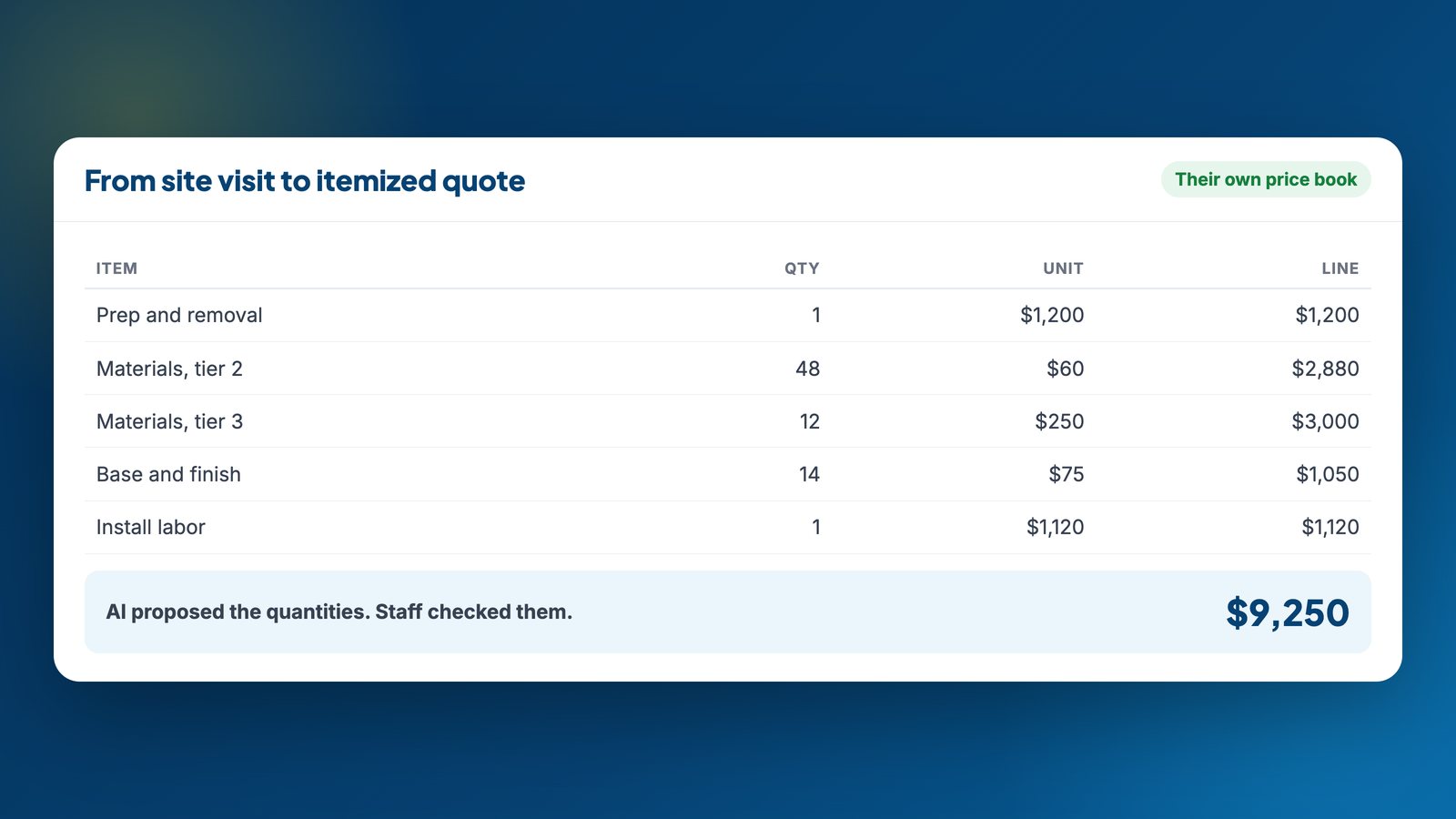
This is the part we had the most fun with. On a site visit, the team takes a photo, and AI turns it into a design concept and a list of what the job needs. Prices come from the company's own price book, which we built from their real past quotes. Staff check every quantity before anything goes out, and the quote leaves as a branded PDF only after a person has seen it. When we tested the pricing against a real quote the company had already sent, it matched to the dollar.
6. Follow-up that stops itself
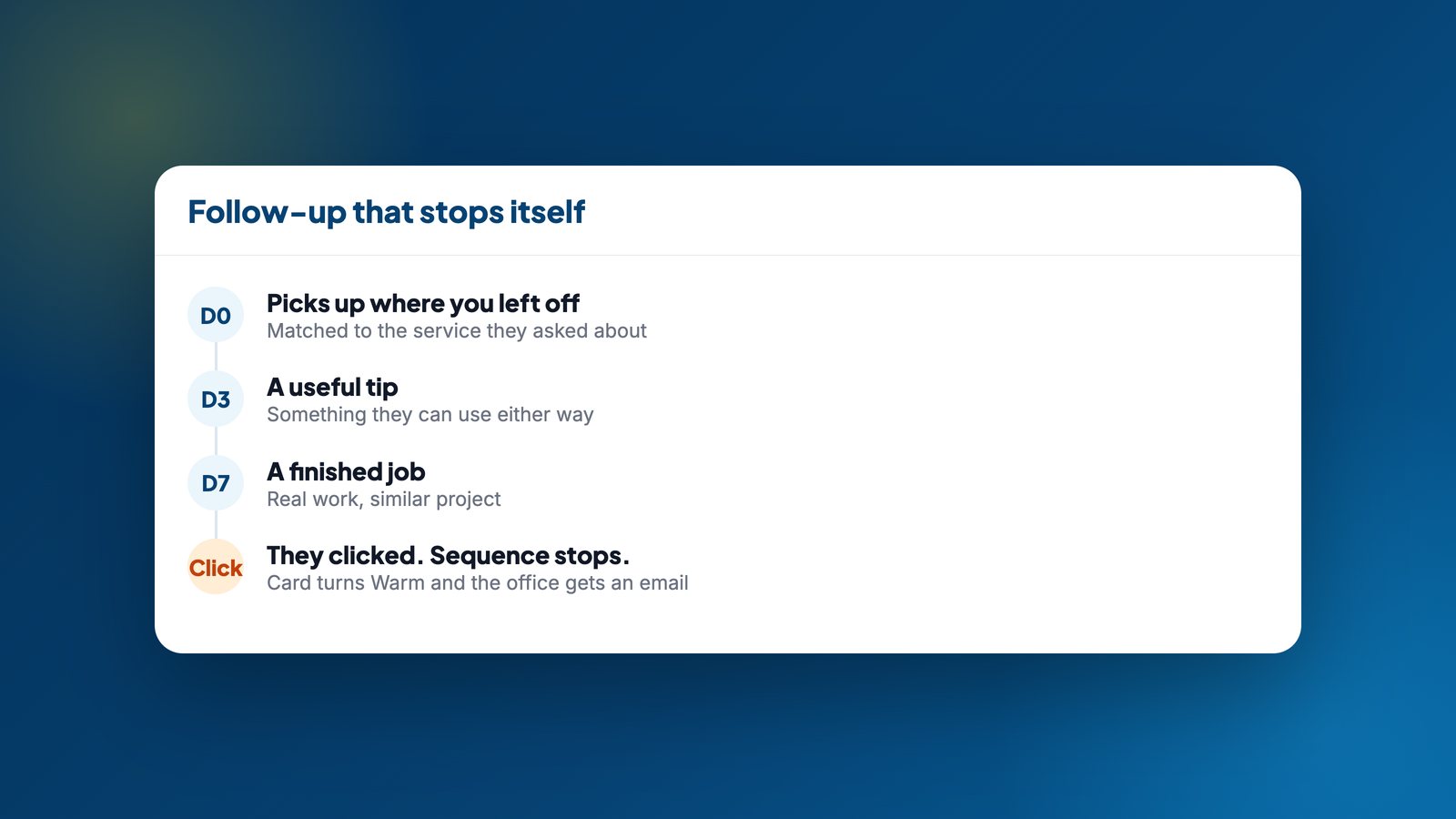
For a lead that went quiet, the office can start a short email sequence matched to the service they asked about. The moment the customer clicks, the sequence stops, the card turns Warm, and the office gets an email saying exactly what they clicked. Warm can't be assigned by hand. It has to be earned by a real click, which is why the alert is worth trusting.
7. The board keeps itself current
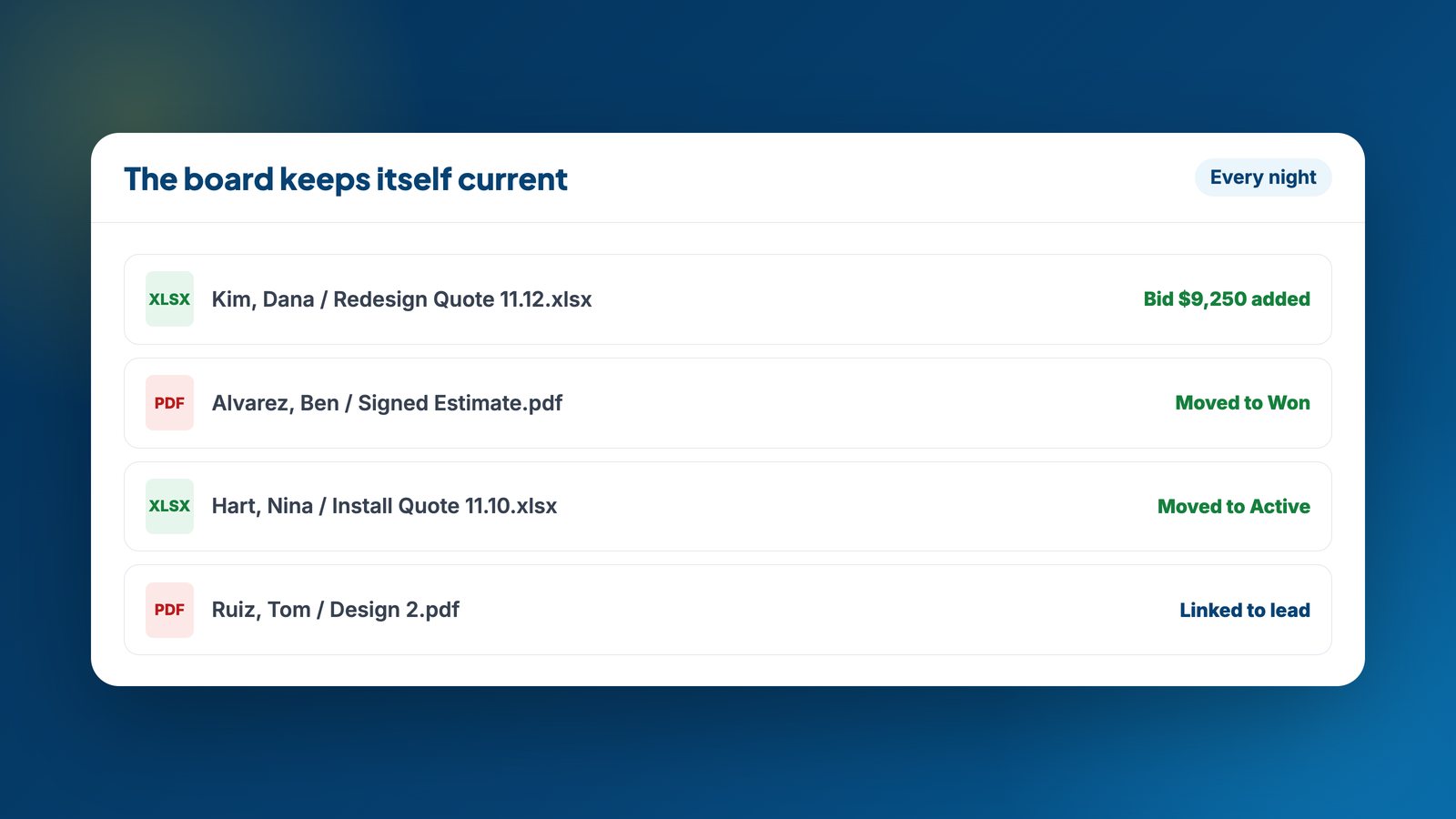
The team still saves quotes as spreadsheets in their shared folder, and that's fine. Every night the system reads the new files, puts the quote total on the right lead, and moves a card to Won when a signed estimate shows up. The board stays current without anyone updating it.
What stayed human
- Nothing reaches a customer without a person starting it. Booking, sending a quote and starting a follow-up are all someone's decision.
- AI proposes, staff decide. Every AI quantity is checked before a quote goes out, and those corrections make the next quote better.
- Pricing stays inside. Staff see the numbers. Customers see a finished quote.
- The team kept their tools. Same calendar, same spreadsheets, same shared folder. The system reads them instead of replacing them.
Why it worked
We built one piece at a time, starting with whatever was slowing the office down that week. Each piece was useful on its own, so nobody had to wait months to see a difference.
Map your own estimating pipeline
You don't need a custom build to start. Answer a few questions and paste the prompt into ChatGPT, Claude or Gemini. You'll get your pipeline laid out as stages, where it leaks, and the one thing worth automating first. Anything you skip still copies with a sensible default.
How does your pipeline work today?
Help me map my estimating pipeline and find what to automate first.

My business: a local service business.

Where leads come from (ask me if this list is empty):
- Website form
- Phone calls
- Emails
- Referrals and texts
- Facebook or Instagram messages

Estimates get booked in: a calendar only the office sees.
Quotes live in: spreadsheets.
What falls through the cracks: not sure yet.

1. Lay out my pipeline as stages, from first contact to signed job.
2. For each stage, tell me what's done by hand today and where leads or money slip.
3. Pick the ONE thing to automate first, and why.
4. Flag anything that should stay a human decision.

Keep it to what a small team could put in place in a month.
Questions people ask
Does the AI talk to customers on its own?
No. Every customer email starts with a person: booking an estimate, sending a quote they've reviewed, or starting a follow-up sequence. The assistant reads the booking back and waits for a yes before it sends anything.
Does it work with the calendar and files a business already uses?
That was the point. Appointments typed into the existing calendar come in every hour, and quote files saved to the shared drive are read every night. Nobody had to change where they work.
Who is a build like this for?
Any business that quotes before it sells: contractors, installers and service companies with a few people answering phones and running estimates.
How long did it take?
We built it in pieces over a few months. The board came first and was useful on day one; booking, quoting, follow-up and the nightly sync came after, each one fixing the next thing slowing the office down.
Do we have to stop using our estimating spreadsheets?
No. The nightly sync reads the spreadsheets the team already saves and pulls the totals onto the board. The quoting tool is there when someone wants it, not forced on them.
Want one built for your business?
We build custom AI software for established companies that quote before they sell. Tell us how your pipeline works today and we'll show you what we'd automate first.
Follow for more.