What Changed in Your Launchpad
Your address, your links and your steps are exactly where they were. The page around them was rebuilt so it reads like a checklist instead of a wall of tiles. Here is the whole of it, in about two minutes.
Fifteen minutes, at a time that suits you.
The Marketing Launchpad Is Built Around Your Week Now
Same six steps, same tools, same links to your own accounts. What changed is that it finally reads like a checklist instead of a wall of tiles.
The old Launchpad spread a single step across three columns. Your target market and message sat in a panel on the left that you scrolled past every week. The tool was a logo tile in the middle. The instructions for using that tool were off in a third column. Nothing lined up, and two steps filled a whole screen.
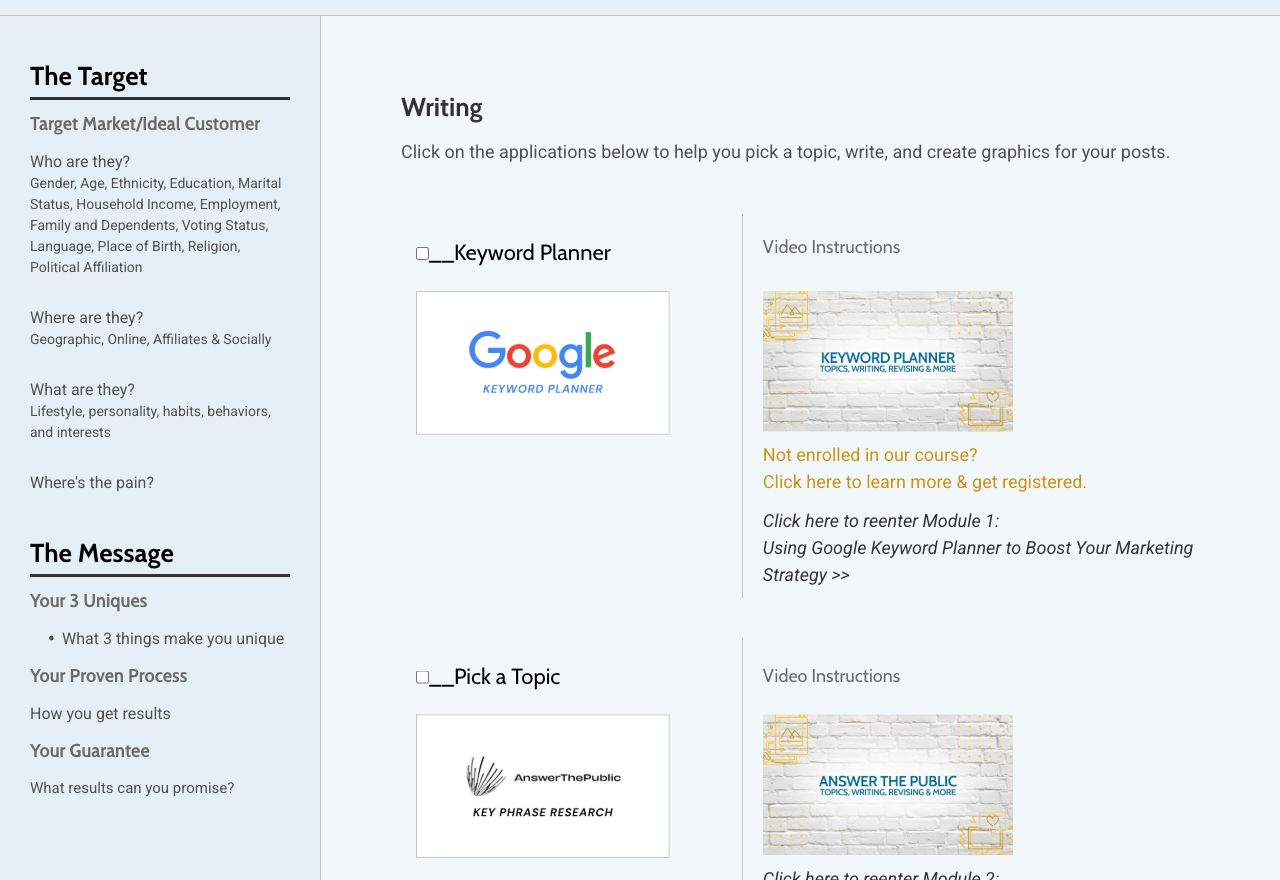
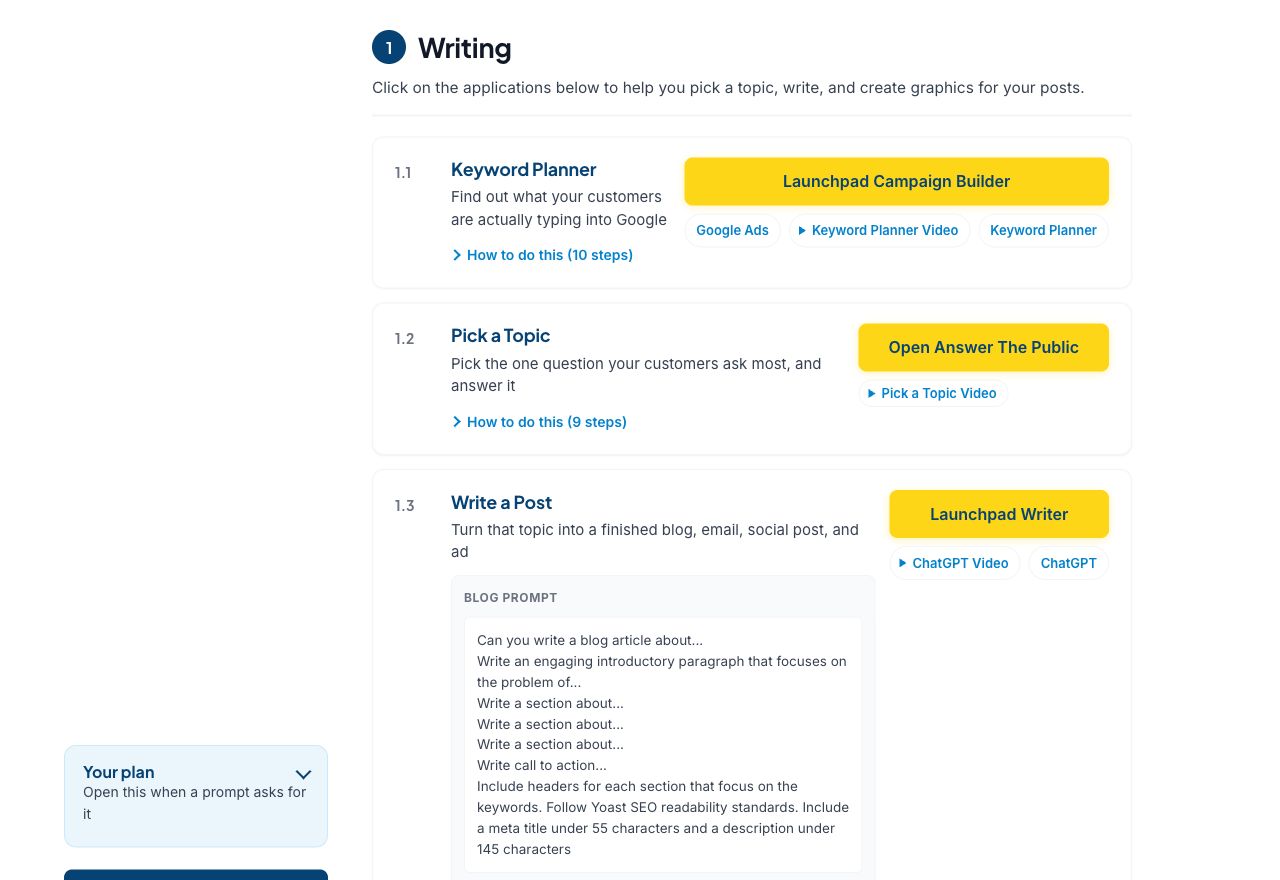
Every step now says what it is for
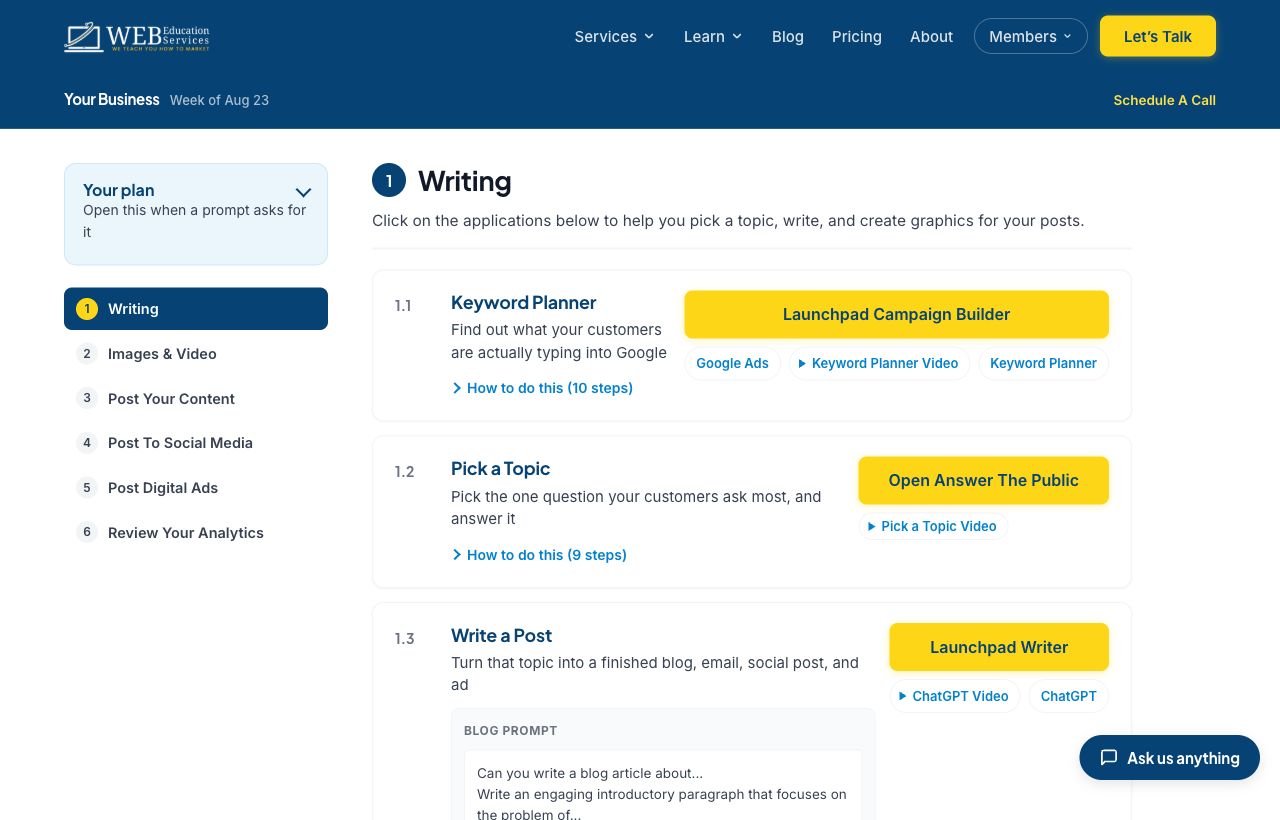
This is the change most people notice first. Before, a step was a name and a button, and you had to already know why you were clicking it. Now each one opens with a plain sentence: Keyword Planner, find out what your customers are actually typing into Google.
Underneath that is one button that names where it sends you, and the click-by-click instructions are folded away behind How to do this. Open them in week one, ignore them by week six.
A few smaller things you will notice
- Your plan is a panel now. Your target market and message sit in a panel on the left. Click it open when a prompt asks for them, leave it shut the rest of the time.
- Walkthrough videos play in place. No more losing your spot to a separate page.
- One tick per step, not per tile. Mark a step done and it clears itself at the start of the next week, so you are never looking at last week's checkmarks.
- The AI prompts are labeled. Blog, email, social and ads prompts each say which is which, with a Copy button that tells you when it copied.
Ask for a 15 Minute Walkthrough
Tell us when suits you and we will get back to you with a time. Fifteen minutes is usually enough to show you where everything went.
We Will Walk You Through It
Fifteen minutes on a call and you will know where everything went. If something on your page looks wrong, this is the fastest way to tell us.